
No Internet Explorer 6! Campaign from Apa Dong (dot) Org

0 comments
No Internet Explorer 6! Campaign from Apa Dong (dot) Org No Internet Explorer 6! site functions is to block visitors from opening your web/blog using Internet Explorer 6 (IE6) browser. They give us a simple single line javascript to put in our web/blog to make it happen. Just copy and paste their code before < /head> tag in your template.

But, why we need to block IE6? Well, IE6 was released on August 27, 2001 and no longer maintained by Microsoft since it. Therefore IE 6 can't provide the same web experience that modern browsers can. IE6 also have so many bugs and security holes issues that can be very dangerous for your PC.

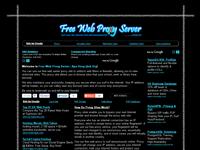
Free Web Proxy Server from Apa Dong (dot) Org

1 comments
Free Web Proxy Server from Apa Dong (dot) Org Free web proxy server site functions is to unblock web filters or firewalls, allowing you to view restricted sites. This proxy site allows you to browse sites that your school, work or library have blocked.

Everyone who has an internet connection has an IP address, which in simple terms is your online 'fingerprint'. If you use free web proxy service, your fingerprint will be hidden and changed to our anonymous one, essentially hiding your real identity, and in most cases you will virtually reside in another country.

Add Yahoo! Messenger Status Icon to Facebook

0 comments
You can get closer to your friends by adding this tool in your Facebook account. Just follow few simple steps below:
  1. Go to main page here.
  2. Select your favorite image by clicking the category menus.
  3. Enter your Yahoo! ID.
  4. please note that you don't have to write the suffix @yahoo.com / @yahoo.co.uk / @yahoo.co.id etc. Just your ID.
  5. Click SUBMIT button on the right after the input text.
  6. You will see 3 boxes appears.
    - HTML Code: to put on your blog, website or social networking
    - BB Code: to put on your forum
    - Preview: How your code will looks like
  7. Copy the code by left click on the area code, then right click to copy the code.d
  8. Done. Now you just paste it on your blog/site/forum/another social networking.


See the additional instructions below how to use it.